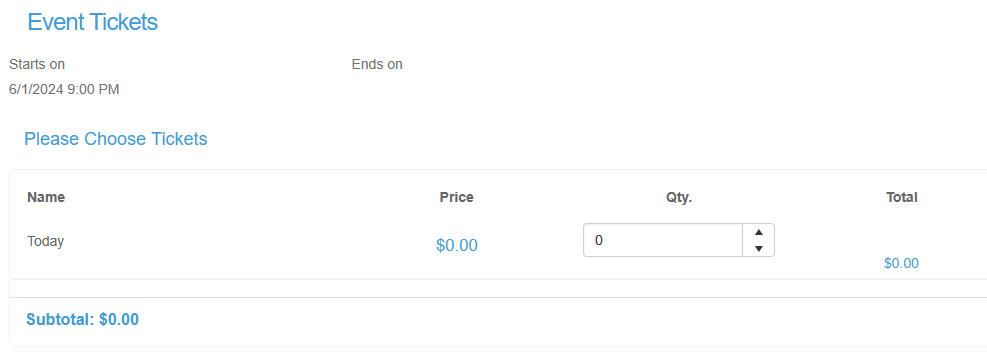
- Yes, using the Set Active Level Dates feature in the Event Setup.
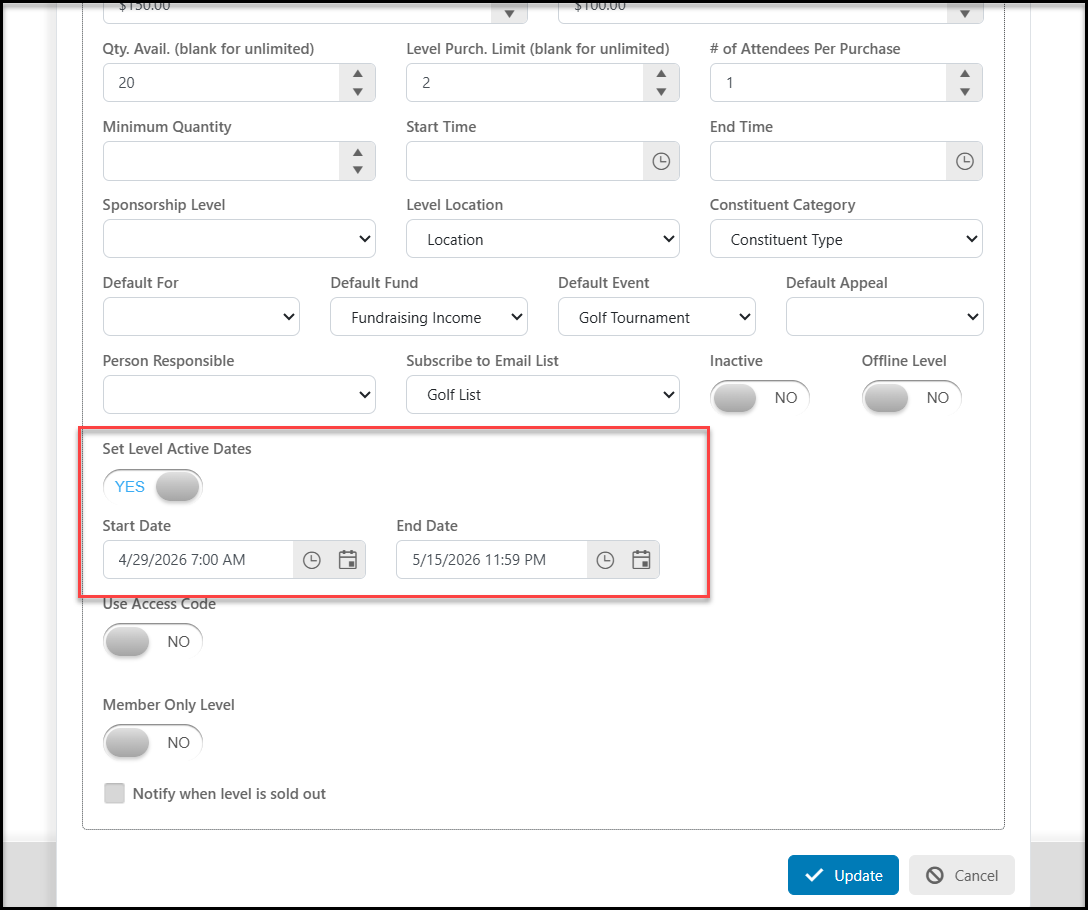
- Switch the Set Active Level Dates toggle to Yes.
- In the new fields, enter the Start Date and time and the End Date and time you wish that level to be visible on the page. Both dates are required for proper function.
- This level will not be visible on your event page outside of these date and time ranges.
- If you are doing an early bird and/or late registration tickets, be sure to create a level for standard pricing for the dates outside of those special prices.
Here is an example based on today being 01/30/2026.
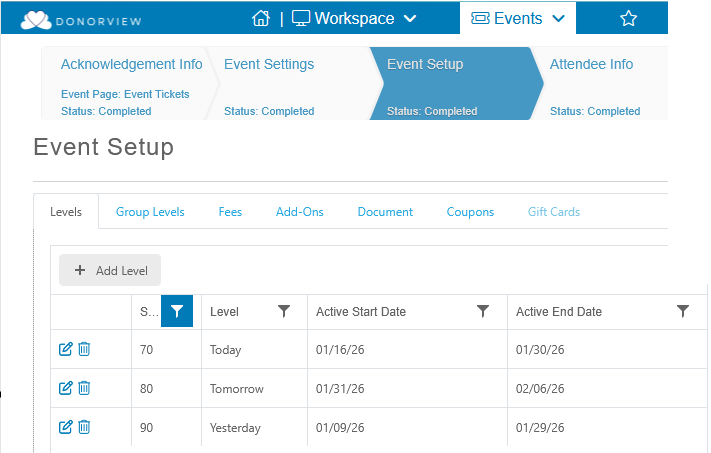
The ticket Level for Today is only available.