- Duplicate records are formed when the constituent uses a different name or email address than the one that is already on file in the database.
- To manage attendees, it is helpful to understand how duplicate constituent records are created and the importance of the primary email address for constituents. See this article for more information "Duplicate Record Search Criteria, Prevention & Identification."
- By default, the software will create a new constituent if the combination of First Name, Last Name, and Email is unique.
- With the default settings all three fields must match exactly in order to link a transaction to an existing constituent record.
- Some organizations will elect to create new constituents on Last Name and Email fields only, or the Email field alone.
- The benefit of removing First Name from the duplicate check is that spouses can share the same record or someone with a name like Robert can enter their name as Rob, Robert, Bob, Bobbie, or any other nickname and still be linked to their constituent record with just their Last Name and Email.
- The options set up for the organization can be found in the menu under the organization name, under the Account menu, then the Settings menu.

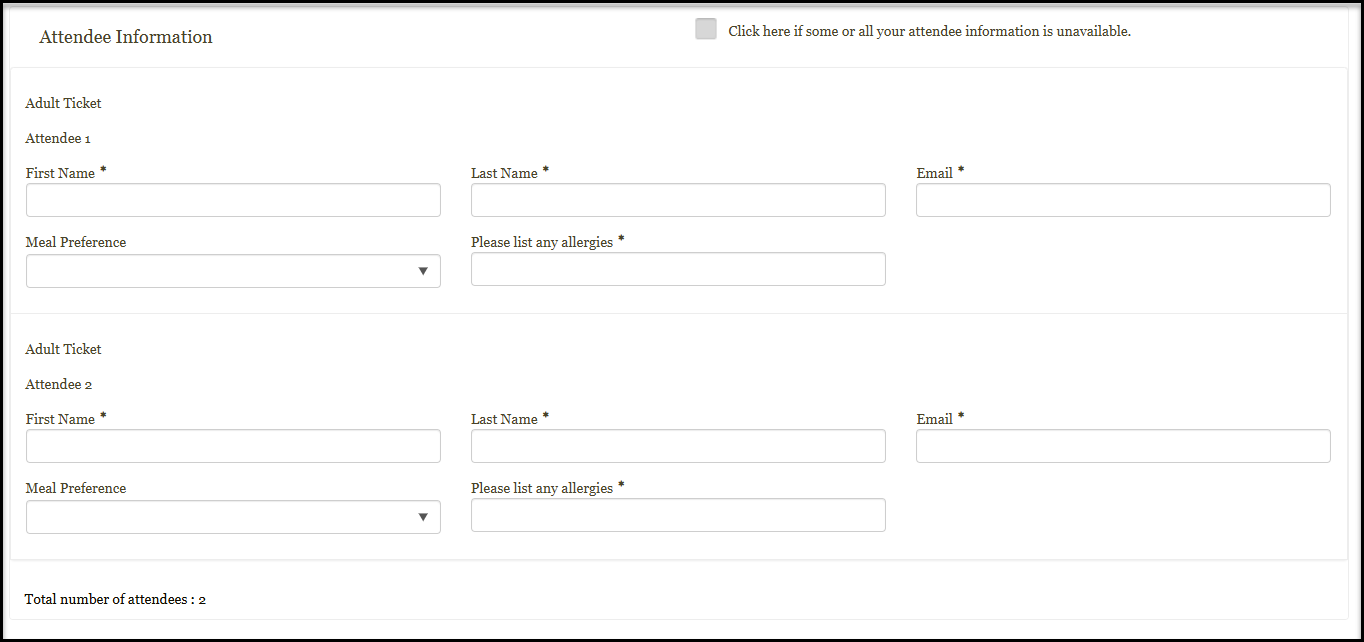
8. If you have set Capture Attendee Info to YES on the Attendee Info tab, the registrant will have fields to enter the names of themselves and their guests who are attending the event.
9. If you do not wish the guests to become constituents in your database, and you do not wish to communicate directly with the guests, you can leave Capture Attendee Info as NO. If you have any custom questions needed, you can use Capture Event Questions Only instead and this will only ask the questions once and not require the name and email of each person attending.
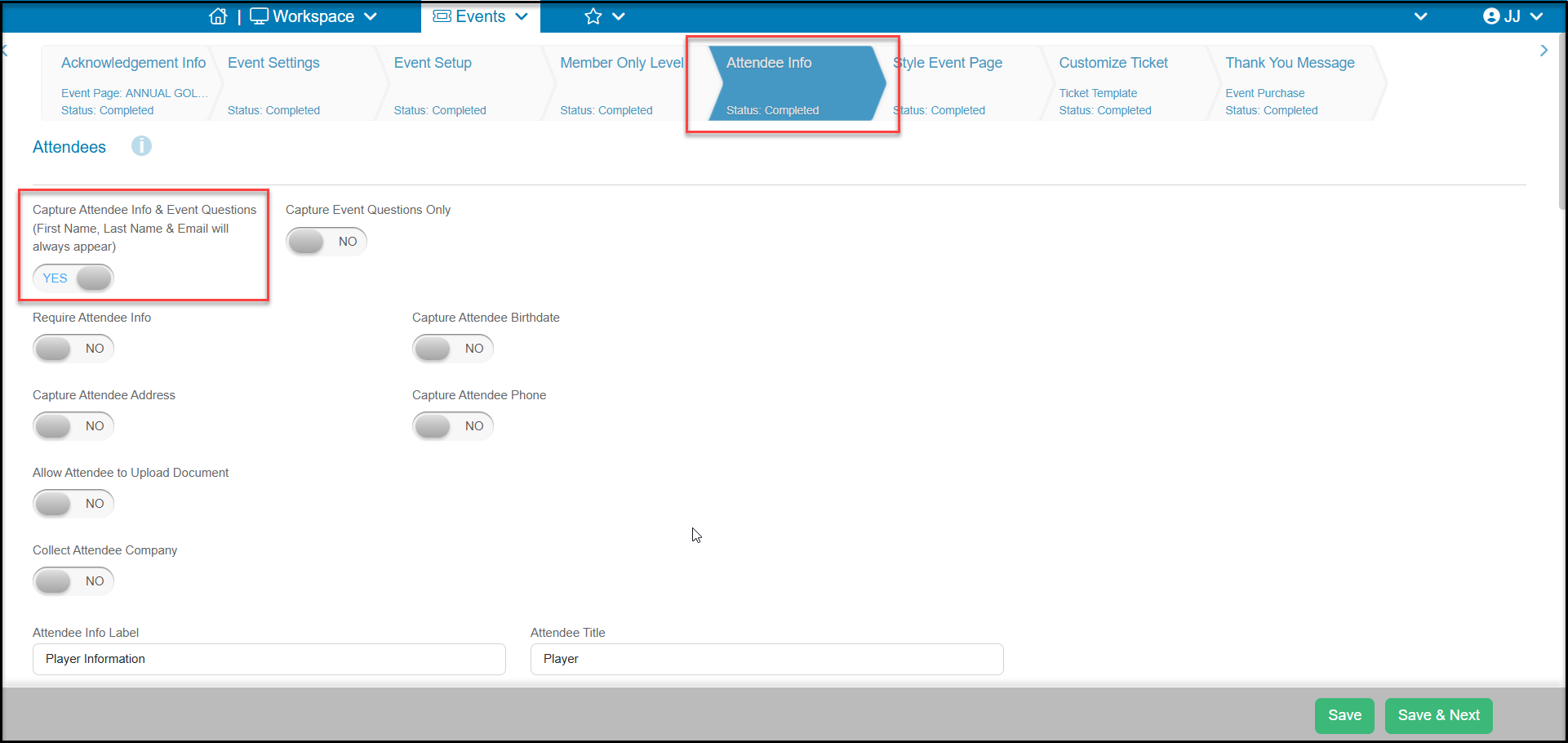
10. If Capture Attendee Info is set to YES and the registrant provides incomplete information or enters information that does not match any email addresses already in the software, new constituent records will be created for the attendees.
10. During events, you may want to consider changing your constituent match settings if registrants will enter their guests, such as spouses or family members, with the same last name and email address as their own. Even though the registrant may enter the attendees as "Bob Jones bobjones@gmail.com" and "Mary Jones bobjones@gmail.com" if you are only matching by Email and Last Name, the two guests will both be identified as Bob Jones.