
Deleting a constituent record will delete all information about the constituent as well as any transactions, relationships, documents, time tracking, interactions, survey responses, or any other records related to the constituent in the database. This action cannot be undone.
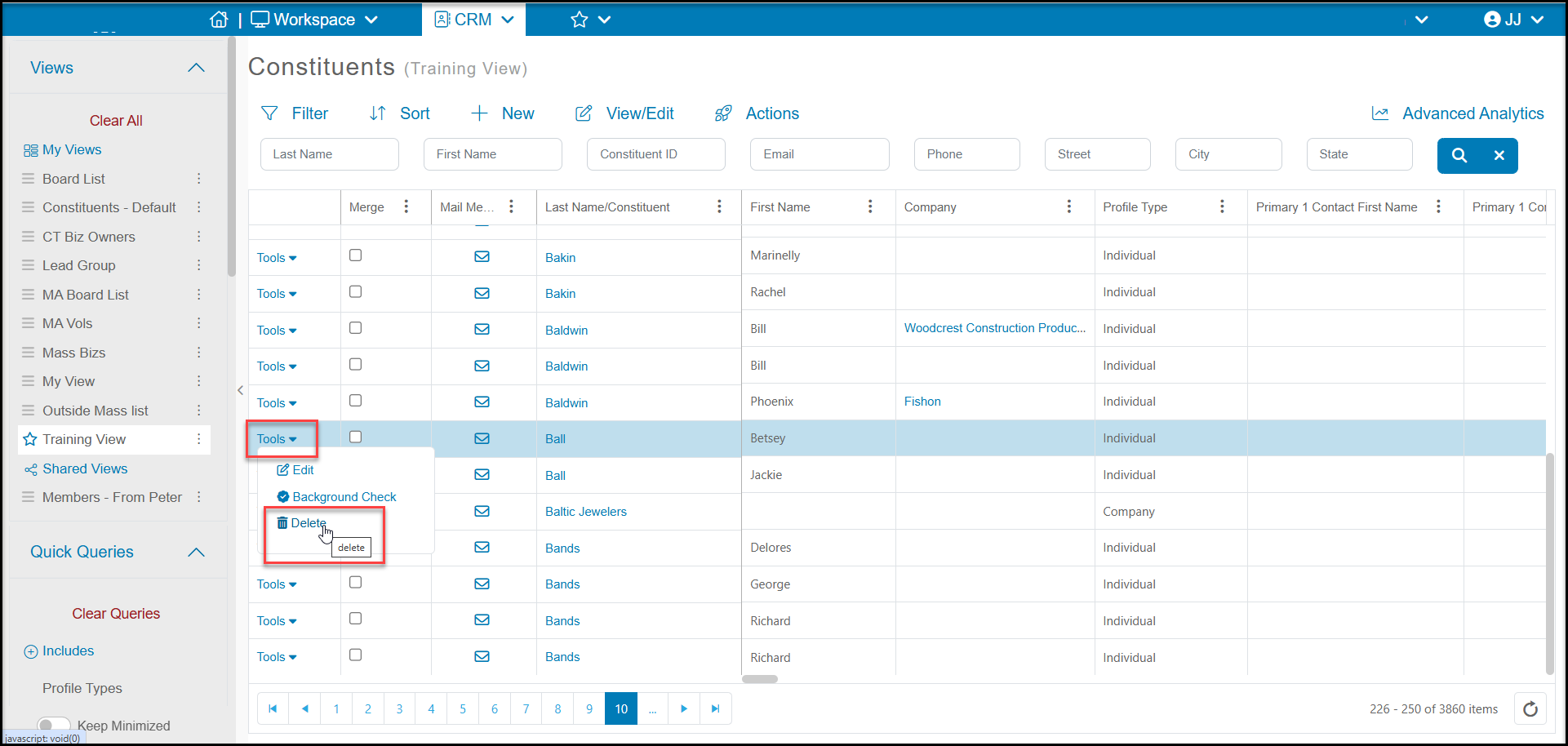
A constituent can be deleted from the Constituents Grid by using the Tools menu on the left side of the row for that constituent. From the Tools menu, select Delete.
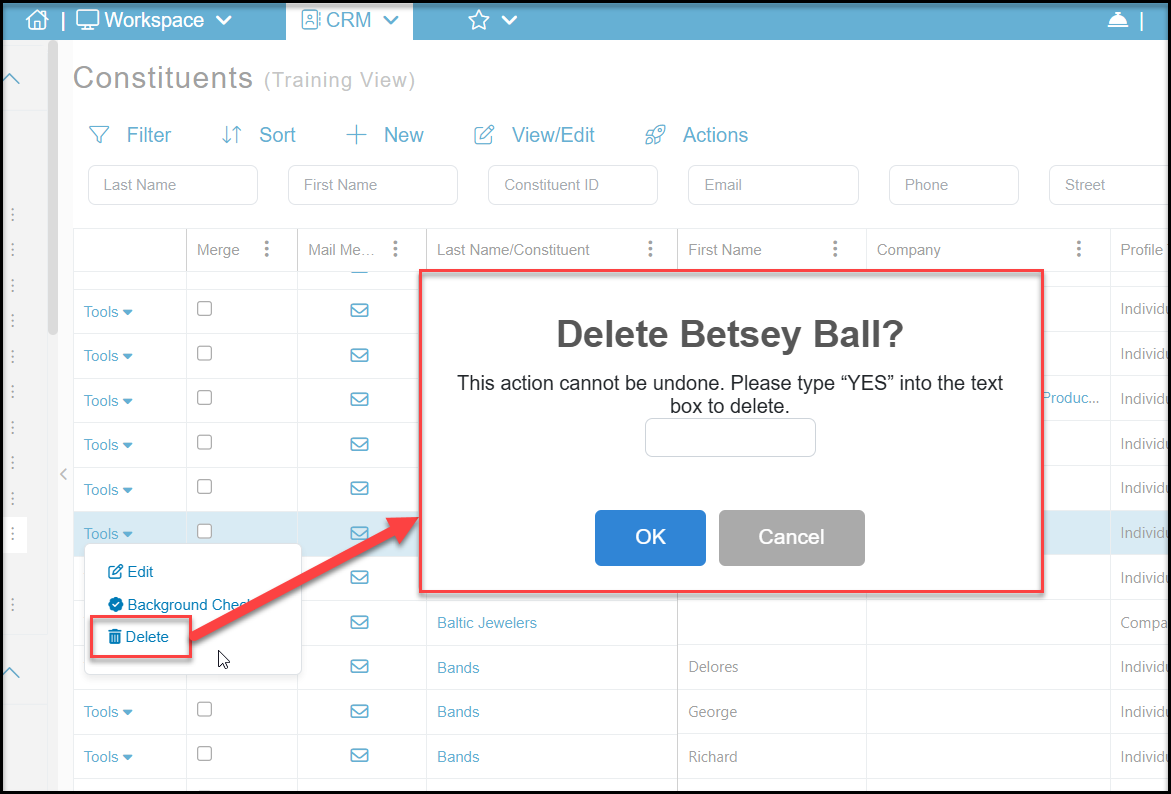
In the new dialog box, enter YES in the box and click OK to delete the constituent. Or, click Cancel to return to the grid without deleting the constituent.
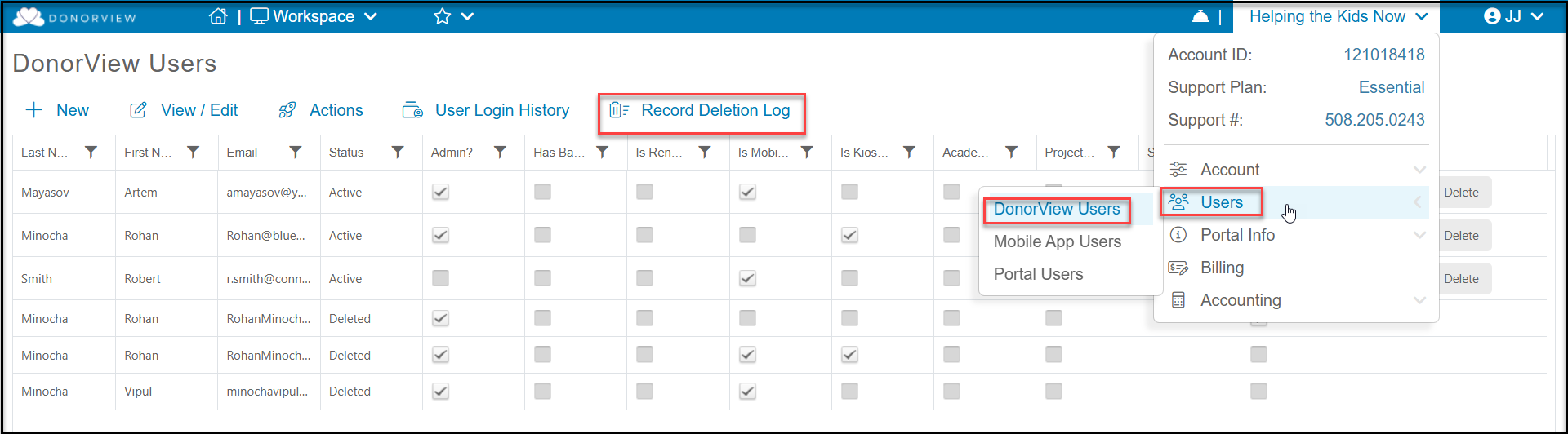
A record of all constituents delete can be found from a link on the Users grid. From the menu under your organization's name, select Users, then DonorView Users. To view the deletion log, click on Record Deletion Log at the top of the grid.
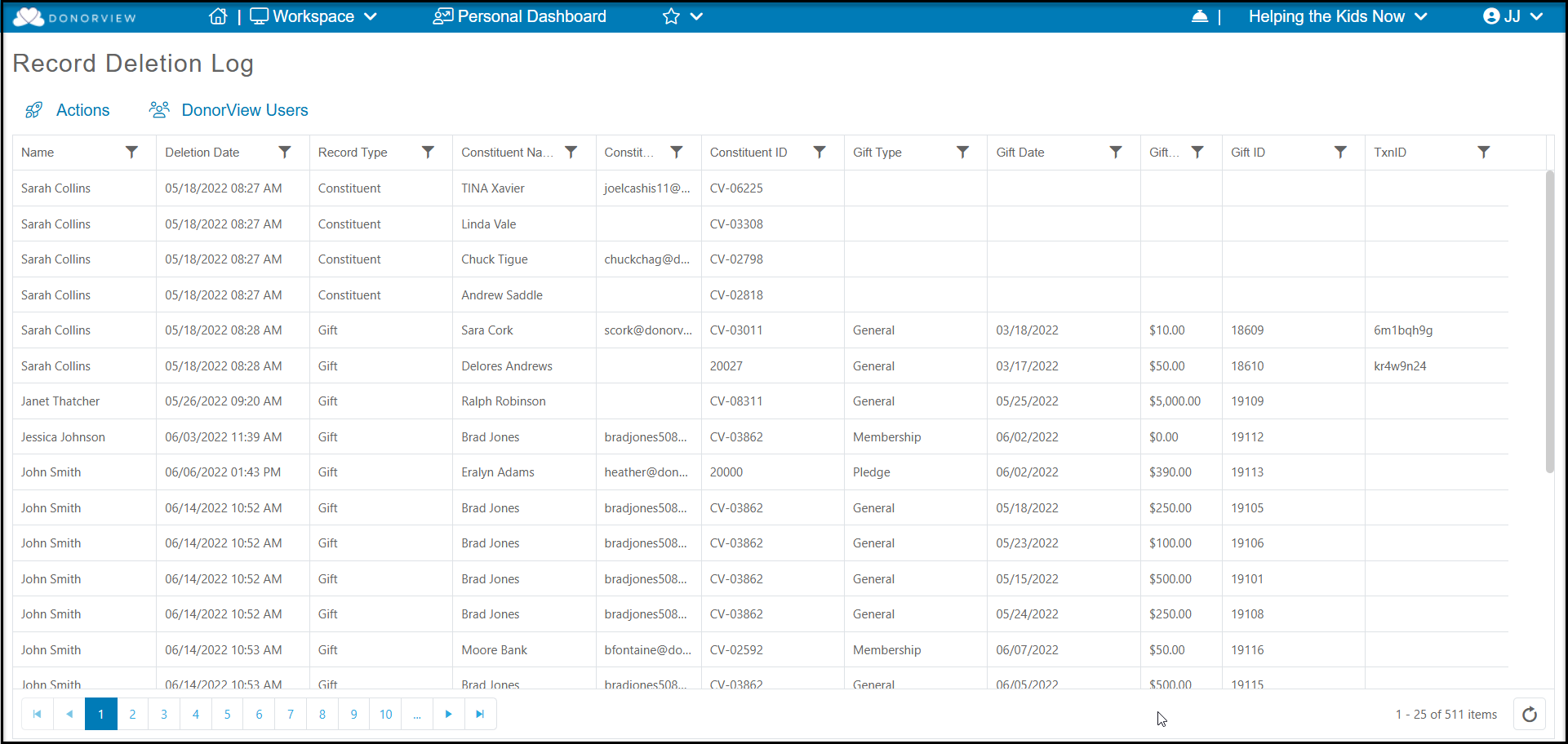
The deletion log will show which user deleted the record under Name, the Deletion Date, and the Record Type as well as basic information about the constituent or transaction that was deleted.
NOTE: Bulk/batch deleting of constituents is only available as a service provided by the DonorView technical team. A quote can be provided based on the number of constituent records to be deleted. Send inquires about bulk deletions to support@donorview.com.