
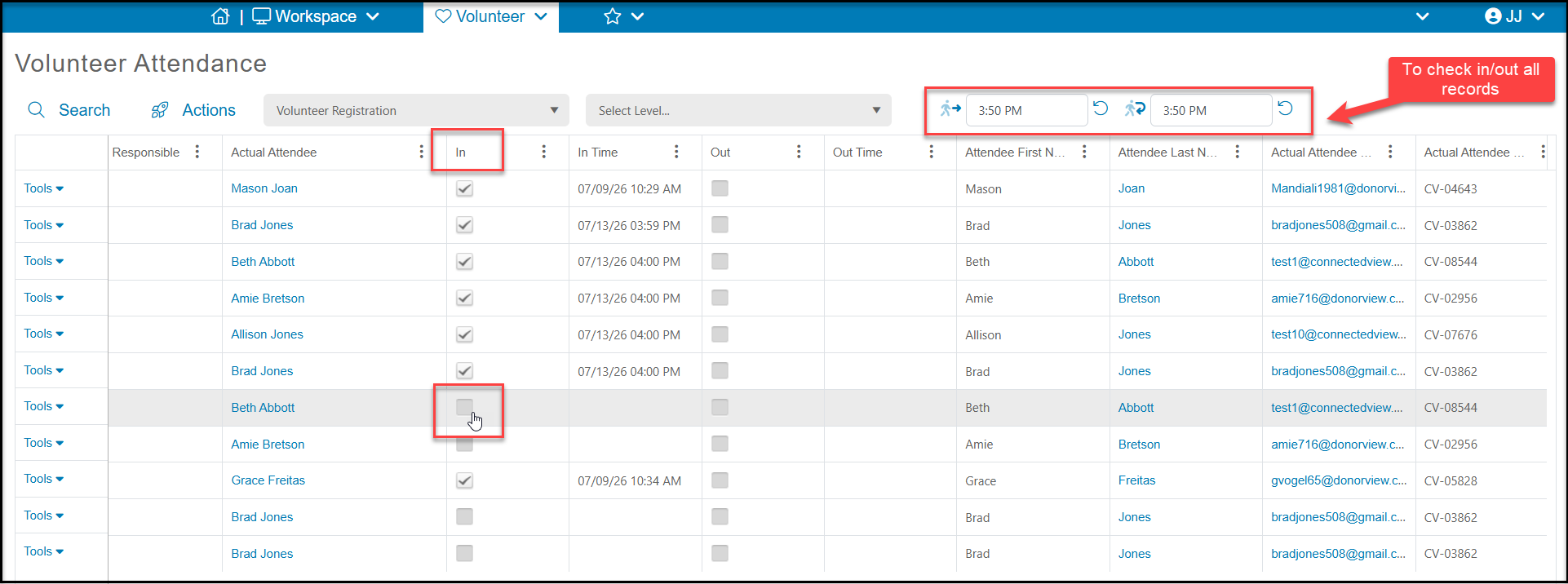
You can manually check volunteers in and out using the Attendance grid. You can place your cursor over the checkbox under the In column and click to check them in. You can also check the box under Out. At the top of the grid, you also have an option to check everyone in or out at the same time.
There are also options for volunteer self check in using the DV Connect mobile app or Advanced Constituent Portal. You can learn more here "Can volunteers do a self check-in?"