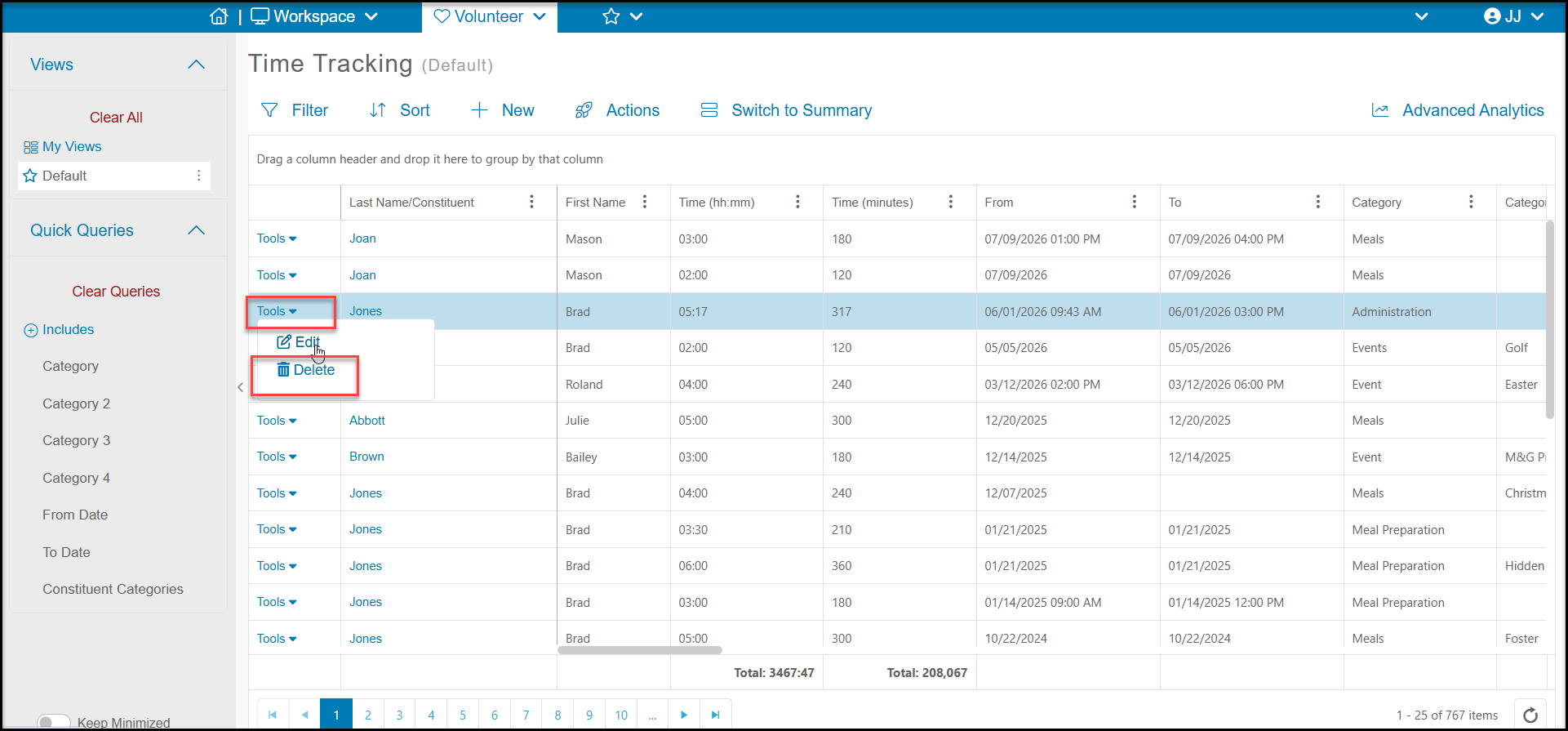
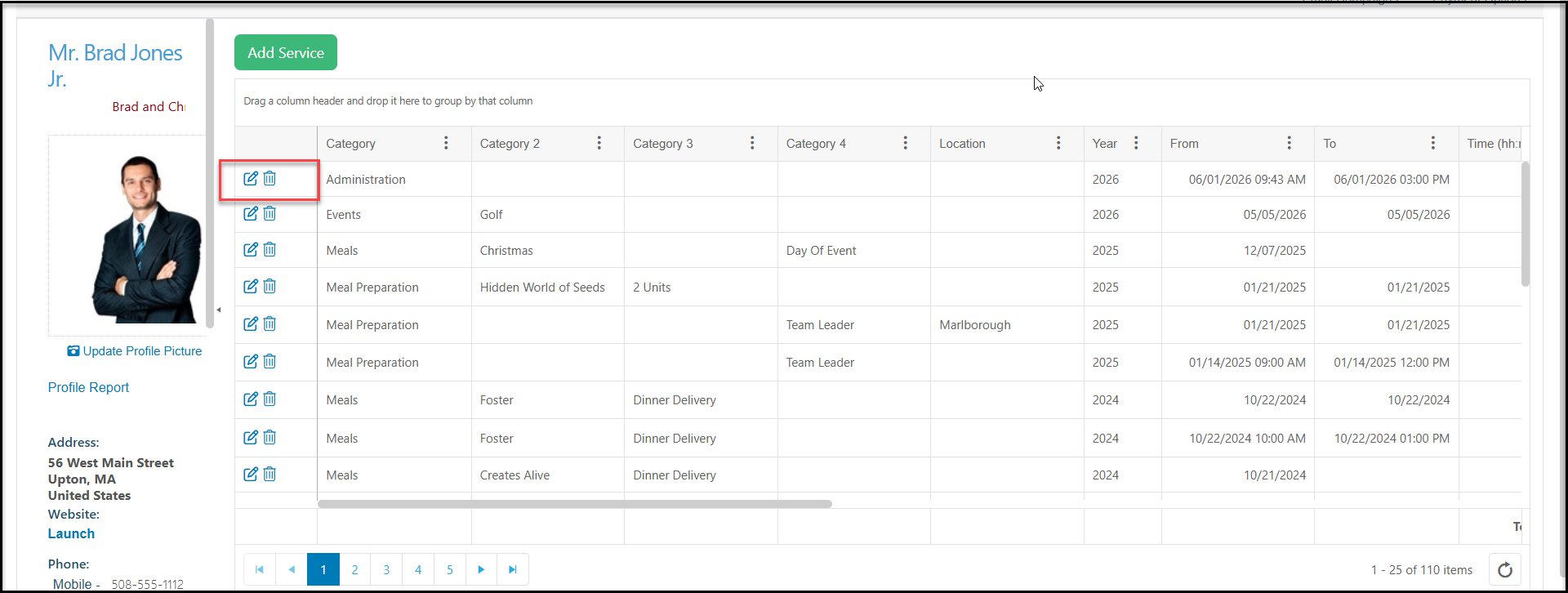
Yes, by using the Tools menu on the left side of the record from any Time Tracking grid or by clicking on the trash can icon on the Time Tracking tab in a constituent's record.
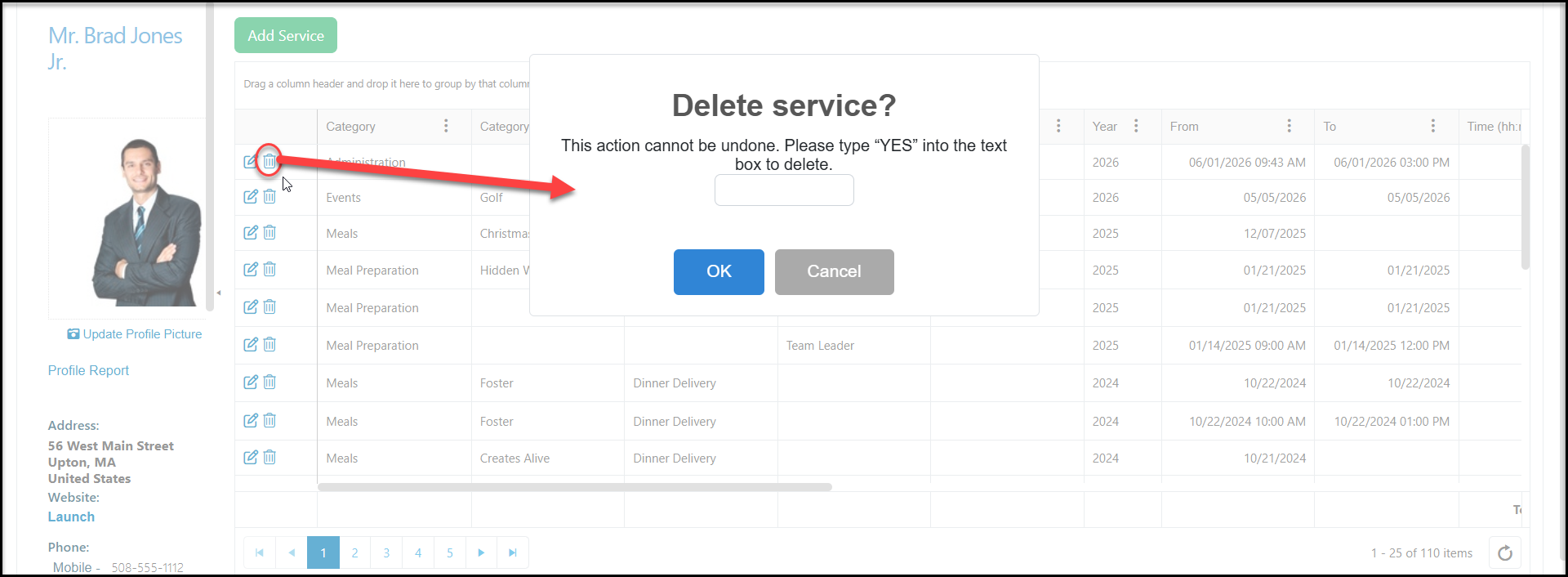
Type YES into the box and click OK to delete the time record.

Modified on: Fri, Jul 10, 2026 at 3:40 PM
Yes, by using the Tools menu on the left side of the record from any Time Tracking grid or by clicking on the trash can icon on the Time Tracking tab in a constituent's record.
Type YES into the box and click OK to delete the time record.
Did you find it helpful? Yes No
Send feedback