
A Peer to Peer (P2P) campaign is a fundraising strategy where your constituents raise money on your behalf by soliciting their social networks. Participant fundraisers create their own fundraising pages using the Constituent Portal and share the link via social media, email, and text, significantly expanding your organization's reach. All the money is collected and tracked through DonorView, so your fundraisers do not have to collect any money on their own.
P2P campaigns can be stand alone fundraisers, for example just having your constituents raise money for a specific purpose like sponsoring a classroom or scholarship funds. P2P campaigns can also be linked to an event like sporting events (5K or dance-a-thon), trivia nights, chef bake-offs, or celebrations like your organization's anniversary. P2P campaign events can even be virtual, like virtual singing or talent contests.
The P2P module in the software has three sub-pages.
- P2P Dashboard - the grid where you can see all the individual and team fundraisers goal progress and the details of each contribution to the campaign.
- Campaign Pages - where the P2P campaign is created, whether it is a stand alone campaign or one that will eventually be linked to an event page.
- Milestones & Badges - where you create the milestones and badges to recognize your fundraisers' progress towards specific goals.
- The milestones can be applied to the P2P Dashboard so you can see who has achieved (or not achieved) specific goals.
- The badges are applied to the fundraisers' pages so they can see and share their recognition for their achievements.
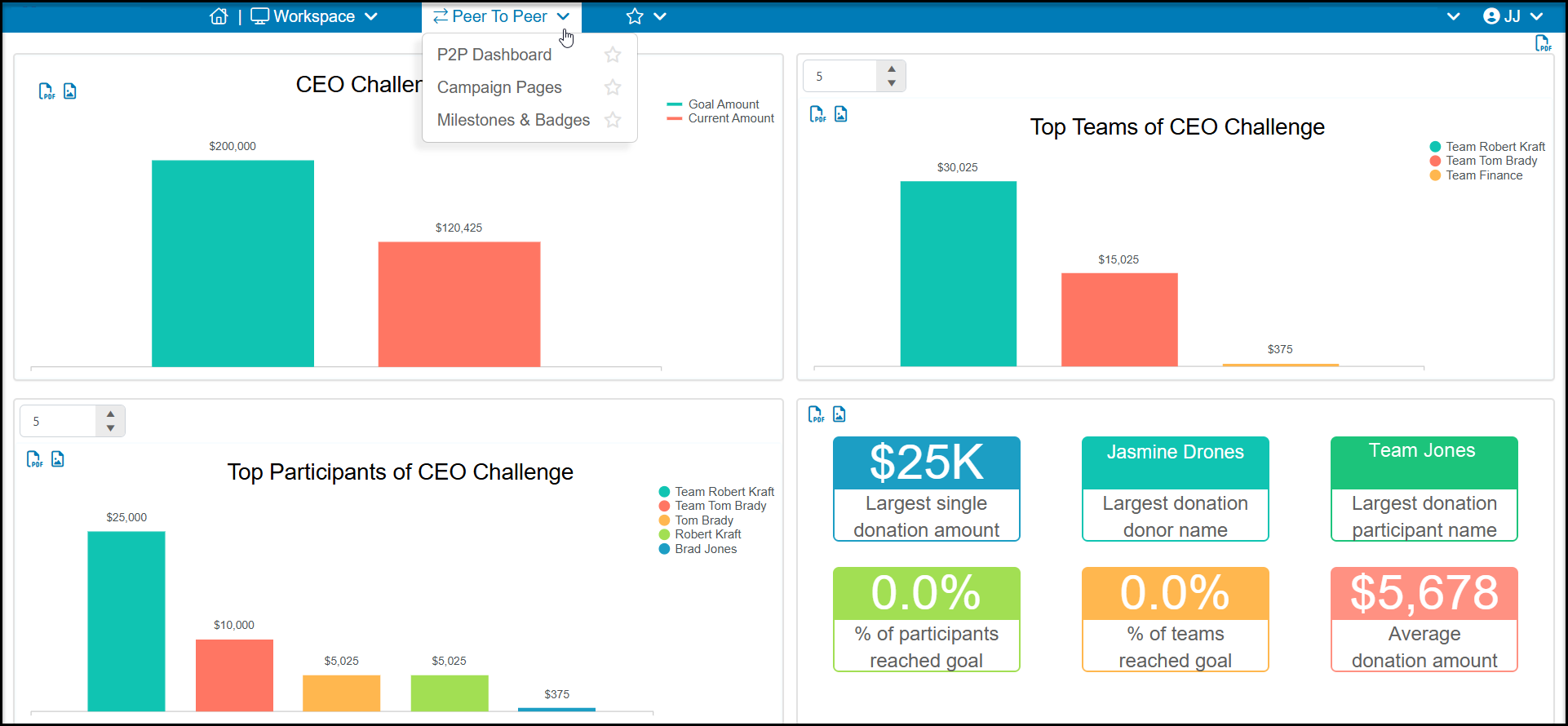
The basic steps for setting up a P2P Campaign include:
- Choose your project or event and create your campaign purpose and goals.
- Build your campaign from the P2P module's Campaign Pages.
- If your constituents don't have a lot of experience with technology like apps, QR codes, or social media, you may want to create a “how to” guide to help them with the steps for creating and sharing their pages. An example will be available to download in the lesson on Managing Fundraising Participants.
- Establish milestones and create badges to award your participants automatically when they reach those goals.
- Invite your fundraisers to sign up:
- For stand-alone P2P campaigns, you can share the link to your P2P campaign to invite users to create their fundraising pages from the Constituent Portal. You can do this via emails, texts, links on your website, or sharing QR codes to sign up.
- For campaigns linked to events, you will create your event page and link it to the P2P campaign you created. You can then share the event page for your participants to sign up through the event page.
- Once you have participants signed up for fundraising, you can track the donations and progress on the P2P Campaign Dashboard page.