
The Pledges grid is an overview of all existing pledges, with the amount due, amount paid and remaining balance for each. You can find this grid by going to Workspace > Fundraising > Pledges. The Pledges grid is only updated for pledge payments and write offs once per day, overnight. So if you just entered some pledge payments, you will not see the totals updated on the grid right away. The Gifts grid will always show the immediate transactions, but the Pledges grid will be refreshed overnight with recent payments and write offs to the pledges to update balances due and payment history information.
There are two grids available, the Pledges - Details grid will display by default. The Pledges - Summary view is access by clicking the link at the top of the grid.
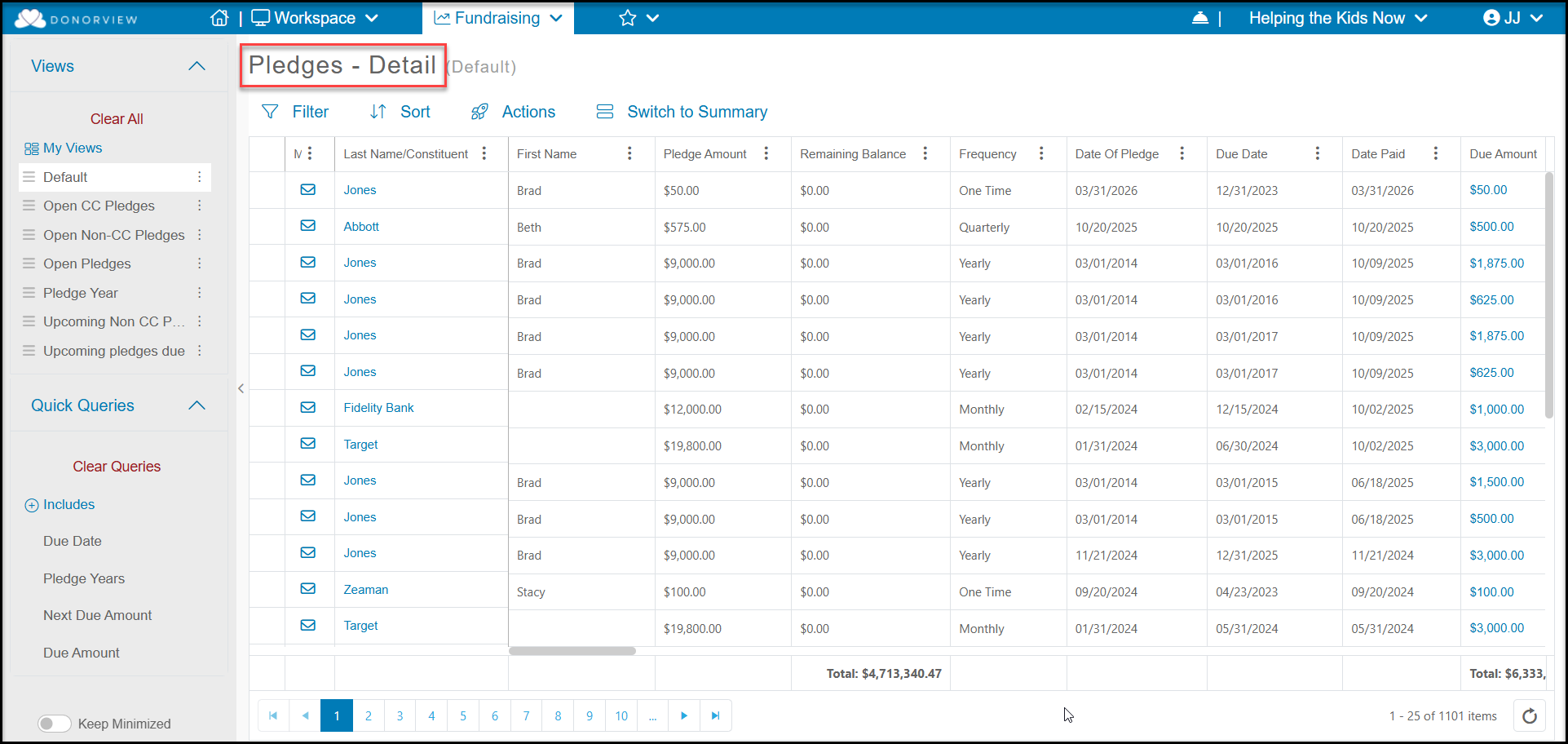
Pledges - Detail
The Pledges - Detail grid shows each pledge payment that is associated with each pledge. Each pledge payment due is identified as a transaction type of "Pledge." There will be a row for every pledge payment that has been made or is due.
On the Pledges - Detail grid, some of the helpful fields include:
- Last name/Constituent – to see person or organization who made the pledge
- Date of Pledge - date the pledge was created
- Frequency – for the frequency of the payments
- Due Date – the date for each Pledge (payment),
- Pledge Amount - how much that payment is
- Due Amount – on the Details view will also be the same as Pledge Amount. This field is included in the Quick Queries menu.
- Amount Paid - if any part of that pledge payment has already been made, it will be reflected under Amount Paid
- Remaining Balance – amount still to be paid on that particular pledge payment.
- Next Due Amount - will show the next pledge payment due. This field is also included in the Quick Queries menu.
- Payment Method - will show the credit card info for anyone who is set up for automatic payments. This field is blank if no credit card is set up for the pledge.
- Year – identifies the calendar pledge year that the pledge was initiated. This field is included in the Quick Queries menu as Pledge Years.
- Pledge Due Year - Shows the year that the specific payment is due in.
- Pledge Last Payment Year - Shows the year that the last payment will be due in.
Pledges - Summary
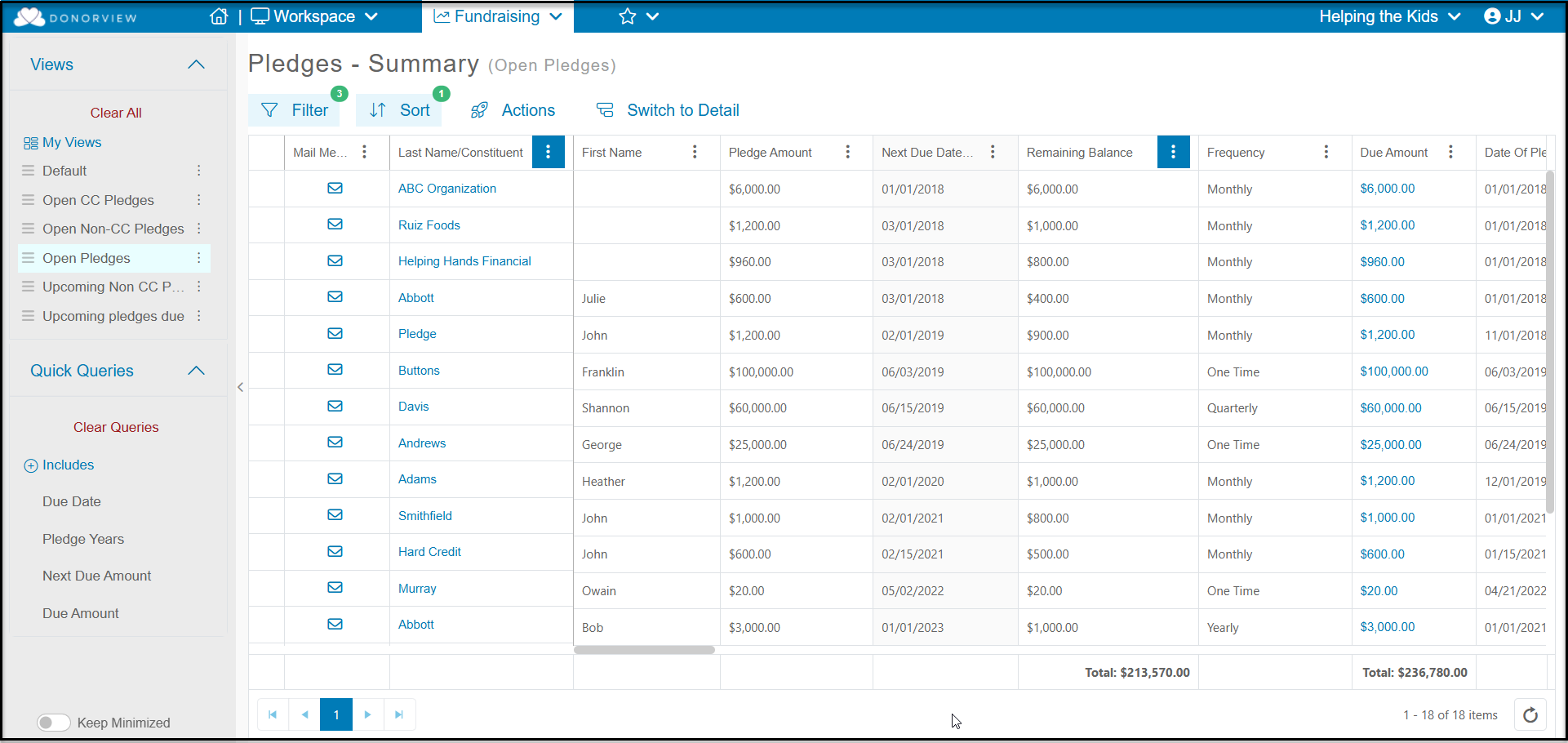
Clicking the link Switch to Summary will take you to the summary list for pledges.

The Pledges - Summary grid shows the totals for the entire pledge. There will only be one row for each pledge. If a donor has multiple pledges, their name can be shown several times, one row for each pledge.
The columns are still labeled the same, but they reflect the overall values.
- The Pledge Amount field becomes the entire pledge amount.
- Due Amount is also the entire pledge amount.
- The Amount Paid is now the total amount of payments that have been made against that pledge.
- Remaining Balance shows the total amount that is still unpaid on the pledge.
For more information about the types of reports that can be created from the Pledges grid, see this article "Pledge Reports."